Org Admin Dashboard Overview
A tour of campaigns, People, action queue, Launch kit, and Settings.
Org Admin Dashboard Overview
A tour of your org hub dashboard: where to find campaigns, fundraisers, reports, and settings.
Overview
Your org hub dashboard is command central for your pick a date fundraiser. From here you can:
- Manage campaigns and track progress
- Invite and monitor fundraisers
- See donations and export reports
- Access launch materials and sharing tools
- Configure settings and payments
This guide walks through each area so you know exactly where to go.
Dashboard home
When you log in, you land on the Dashboard home screen.
What you see
- Campaign summary — Total raised, days claimed, fundraiser count
- Quick Actions — Shortcuts to common tasks (Settings, New campaign, Invite)
- Recent activity — Latest donations and fundraiser actions
- Setup checklist — Remaining steps to launch (if incomplete)
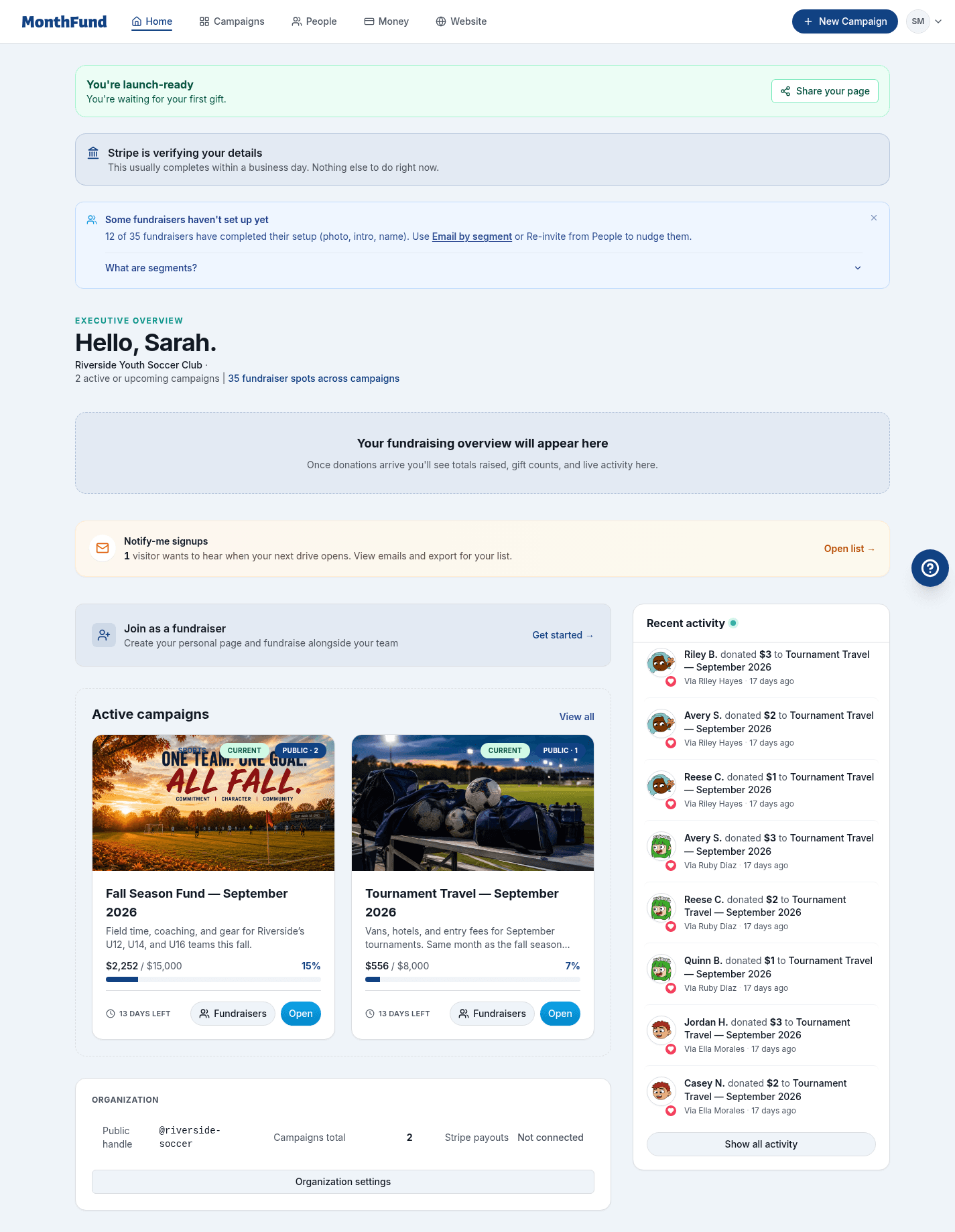
Quick Actions
The Quick Actions section gives you fast access to:
| Action | What it does |
|---|---|
| Settings | Open organization and Stripe settings |
| Payments | Jump directly to Stripe Connect setup |
| New campaign | Create a new campaign |
| Invite | Add fundraisers to your campaign |
Campaign page
Click your campaign name (or View campaign) to open the detailed campaign page.
Campaign header
- Campaign name and month
- Public page link with copy button
- View public page button to see what donors see
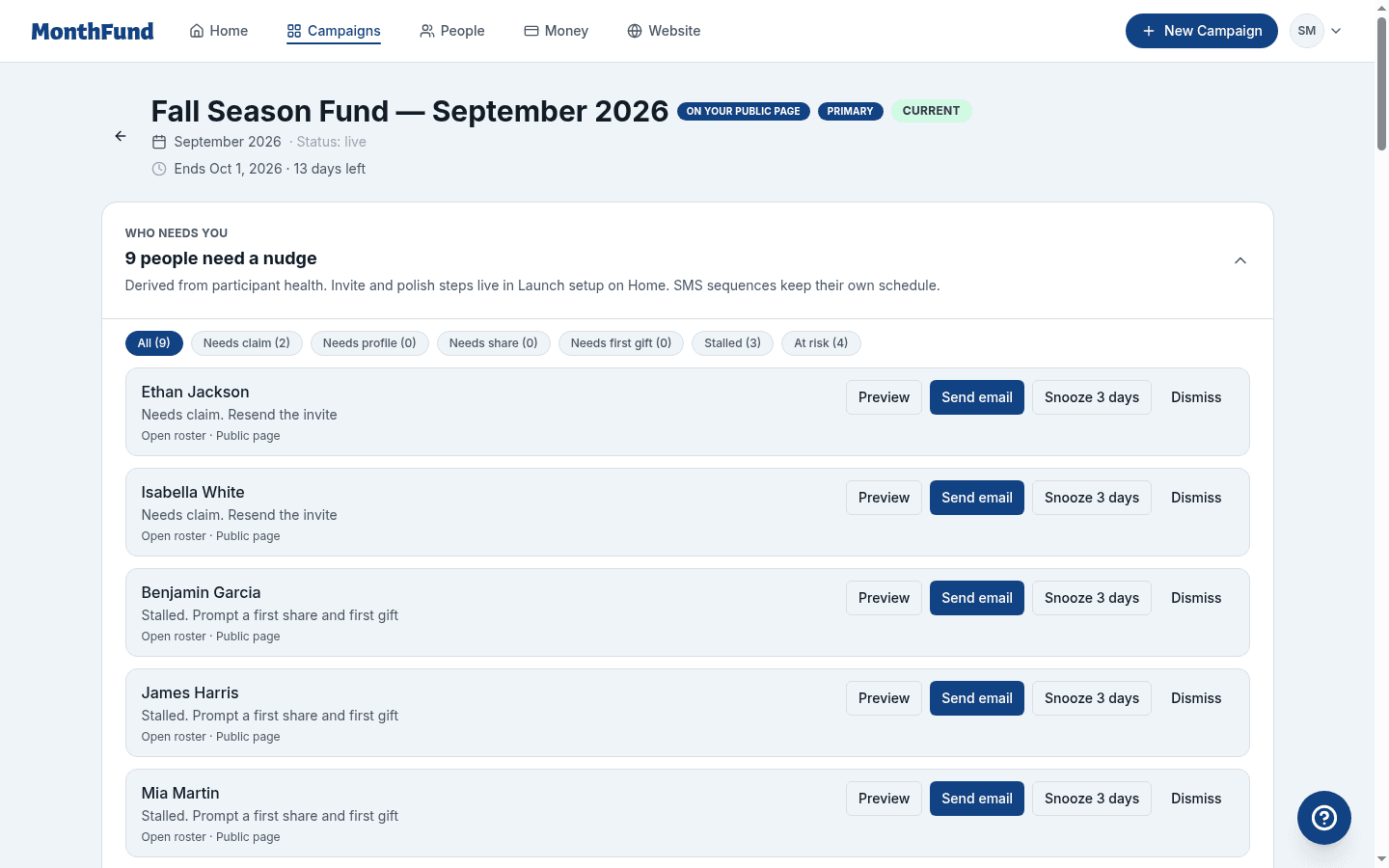
Totals and progress
- Total raised — Sum of all donations
- Days claimed — How many calendar days are filled
- Goal progress — Visual progress bar toward your goal
- Fundraiser count — Active participants
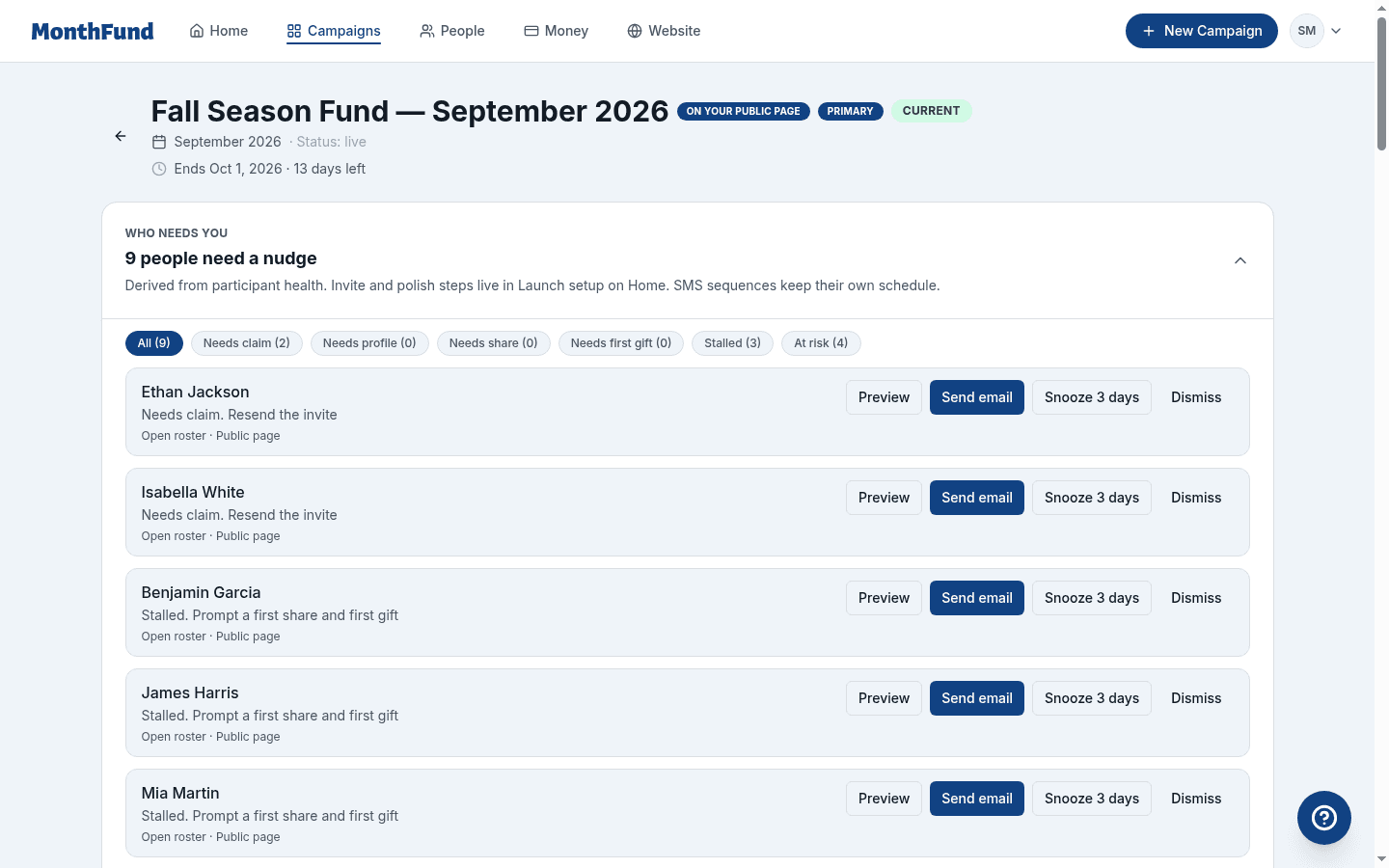
Action queue ("Who needs you")
The action queue shows fundraisers who need attention:
- Needs to claim invite — Haven't opened join link
- Needs profile — Joined but didn't finish setup
- Needs first share — Ready but hasn't shared
- Needs first donation — Sharing but no gifts yet
- Stalled — Was active but has gone quiet
For each person, you can:
- Preview the nudge email
- Send email to contact them
- Snooze 3 days to check back later
- Dismiss if no action needed
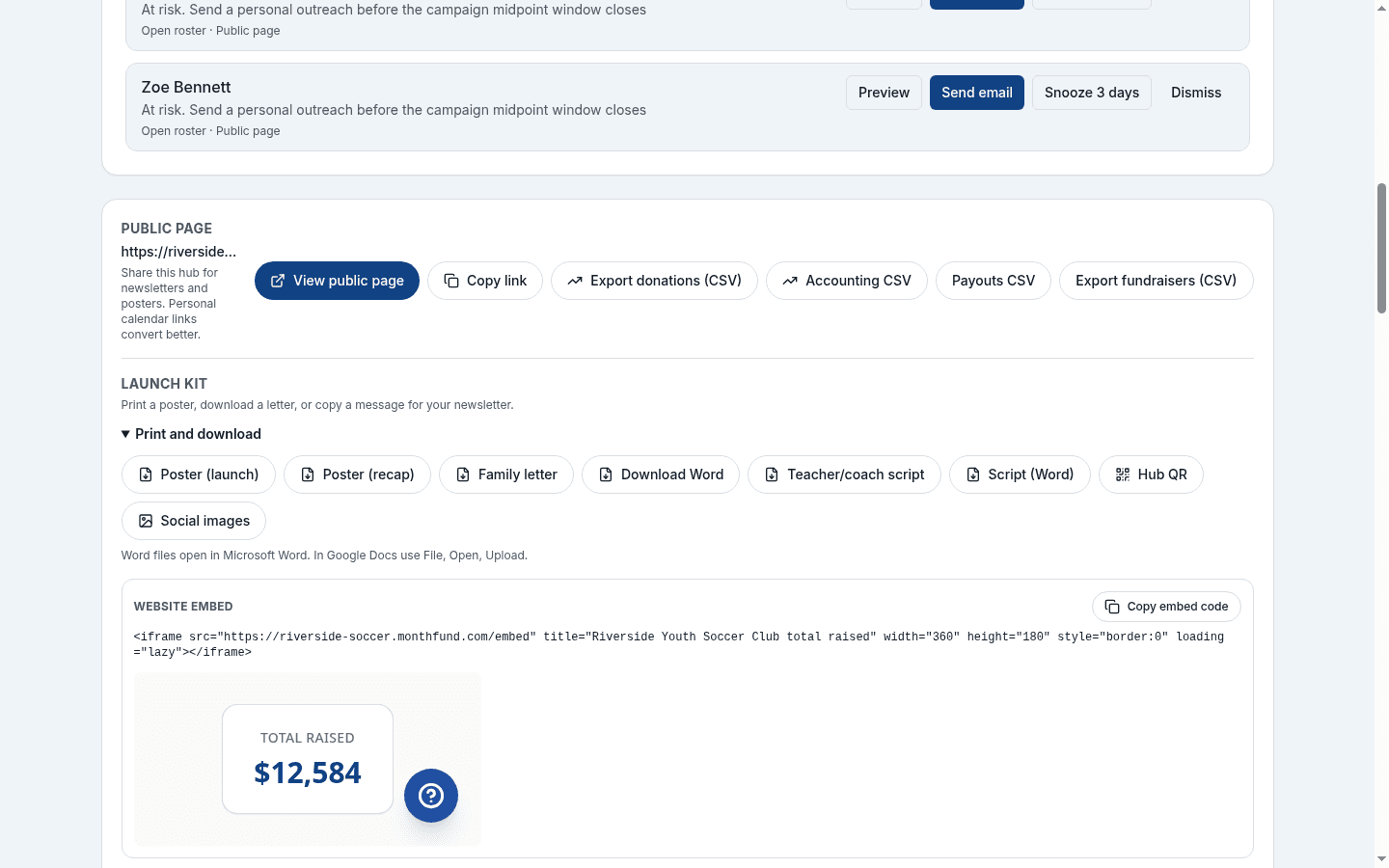
Launch kit
Scroll down to find the Launch kit section:
- Launch poster — Printable PDF for bulletin boards
- Recap poster — Post-campaign summary
- Family letter — PDF or Word template
- Teacher/coach script — Talking points for leaders
- Hub QR code — Points to your org's public page
- Campaign Social Kit — Branded graphics for social media
- Announcement copy — Ready-to-send text for each phase
- Website embed — iframe code for your school/org website
Recent activity
A feed showing:
- New donations as they come in
- Fundraisers who complete setup
- Calendar claims with donor names
Fundraisers page
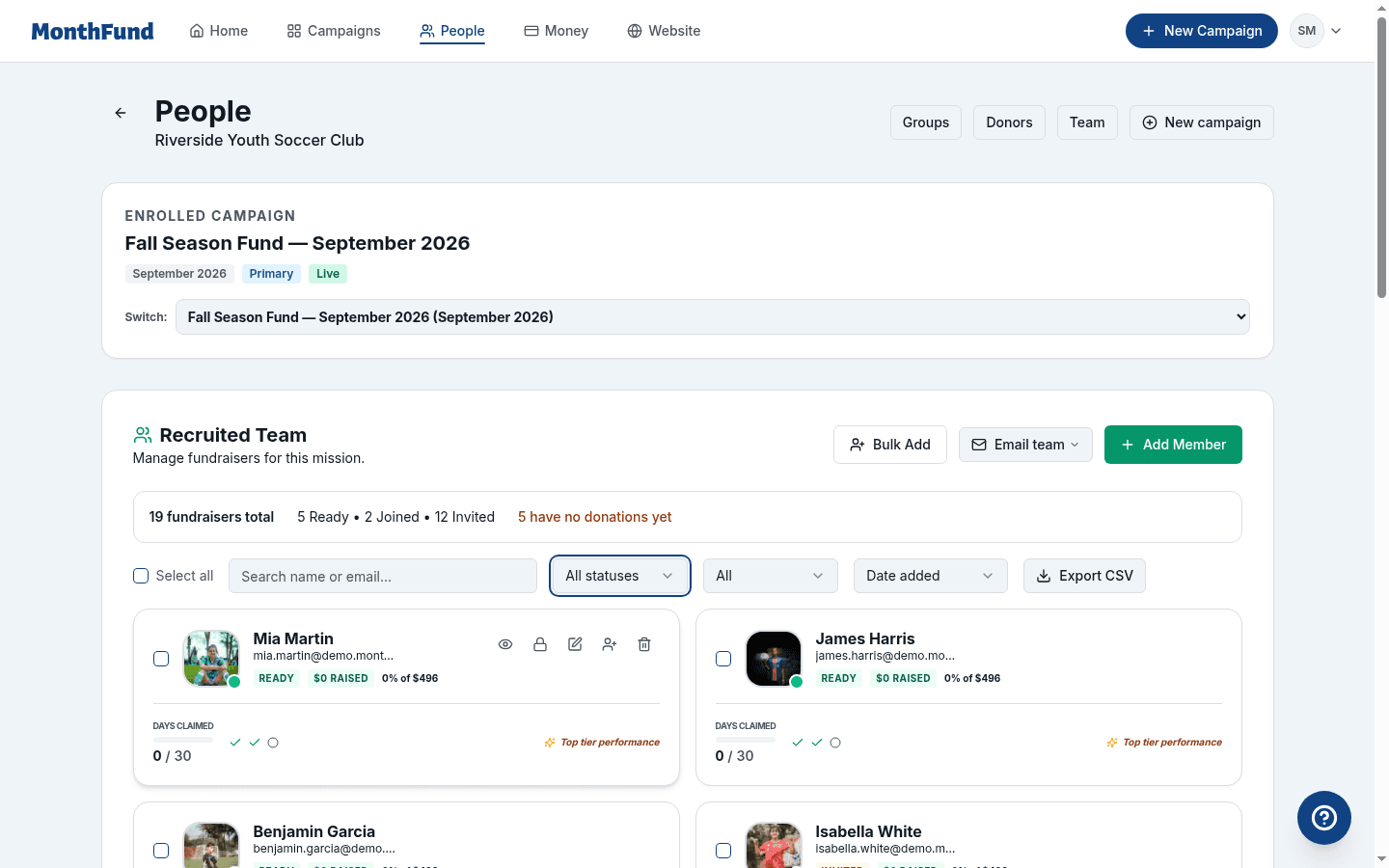
Click Fundraisers in the sidebar navigation.
Roster view
- List of all fundraisers with status indicators
- Search and filter by name or status
- Invite status — Invited, Joined, Ready
Adding fundraisers
- Add Fundraiser — Single invite by name and email
- Bulk Add — Paste a list or import CSV
- From past team — Bring back previous participants
Row actions
For each fundraiser, click ⋮ to:
- Resend invitation
- View their public page
- Open roster details
- Remove from campaign
People page
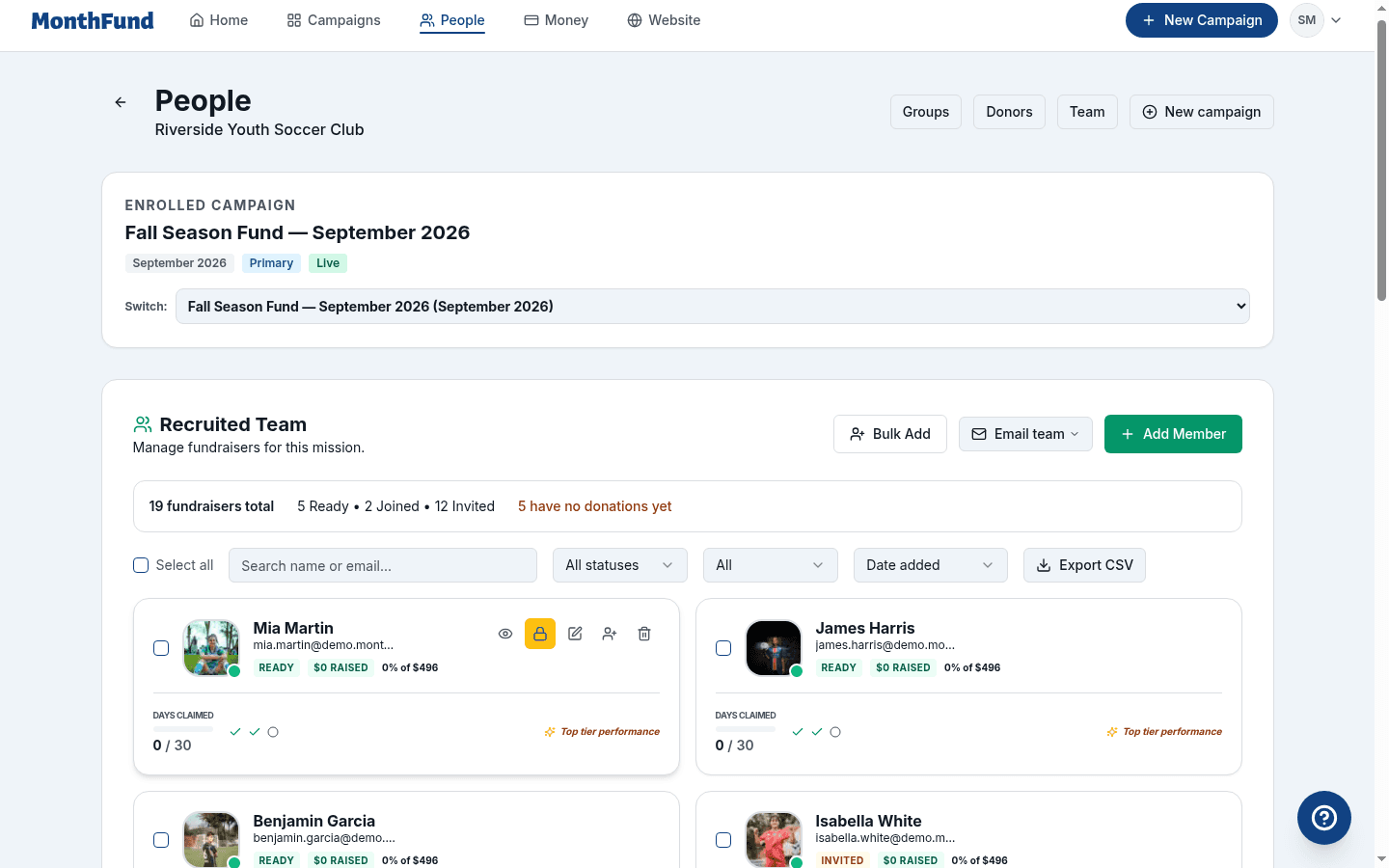
Click People in the sidebar for bulk communication tools.
Email by segment
Target specific groups:
| Segment | Who it includes |
|---|---|
| Unconfirmed | Haven't clicked join link |
| Needs profile | Joined but incomplete |
| Ready with no donations | Set up but no gifts |
| Low activity | Some donations, trailing others |
| Top performers | Leading the leaderboard |
Email all
Send a message to every fundraiser in the campaign.
What you can send
- Custom messages you write
- Announcements and reminders
- Campaign updates
Note: This is email, not SMS. SMS sequences are separate opt-in prompts in campaign settings.
Campaign Report
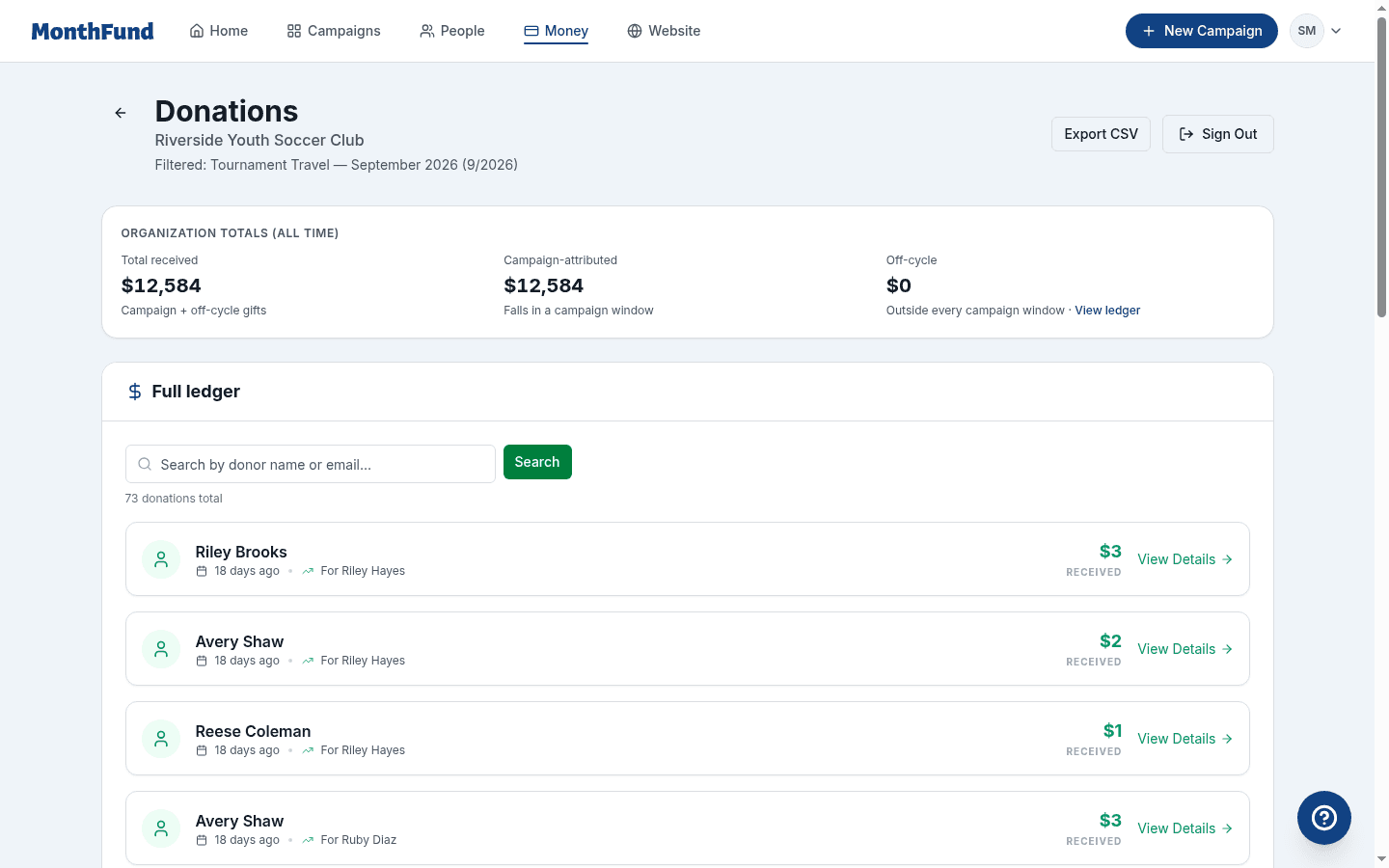
Click Campaign Report (or use the button on the campaign page).
Donation ledger
- Every donation with donor name, amount, date, fundraiser
- Filters — By date range, amount, fundraiser, fee coverage
- Search — Find specific donors or fundraisers
Exports
| Export | Availability | What it includes |
|---|---|---|
| Donations CSV | All plans | Basic donation data |
| Accounting CSV | Professional/Network | ISO timestamps, Stripe IDs |
| Fundraisers CSV | All plans | Roster with status |
| Payouts CSV | Professional/Network | Payout reconciliation |
Analytics
- Total raised over time
- Donation count by day
- Fundraiser leaderboard (if enabled)
Settings
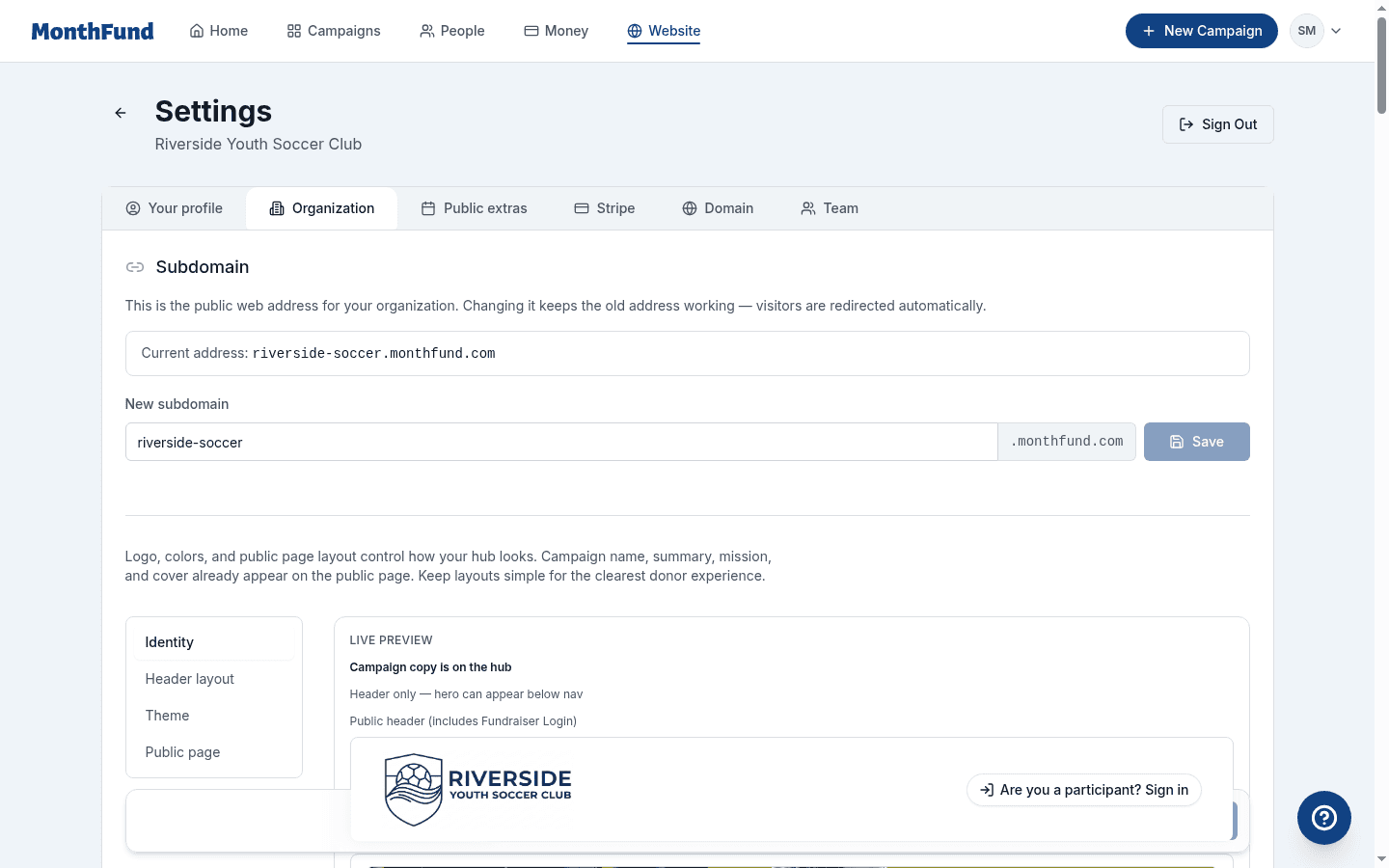
Click Settings in the sidebar.
Organization tab
- Organization name and handle
- Logo and branding — Upload logo, set brand color
- Hero image — Cover image for your public page
- Description — Public-facing org description
Team tab
- Current admins — Who has access
- Invite co-admin — Add another organizer
- Role management — Promote or demote members
Admin seat limits by plan:
- Community: 2 seats
- Professional: 3 seats
- Network: Unlimited
Stripe tab
- Connection status — Connected, In progress, or Not connected
- Connect Stripe Account — Start or resume setup
- Manage in Stripe Dashboard — Access your Stripe account
- Upgrade plan — View pricing and change plans

Domain tab (Professional/Network)
- Custom domain setup — Use your own domain
- DNS verification — Instructions for configuration
Notifications tab
- Email preferences — What notifications you receive
- Donation alerts — Real-time or digest
Campaigns page
Click Campaigns in the sidebar.
Campaign list
- All campaigns — Past, active, and upcoming
- Status indicators — Draft, Active, Past
- Primary campaign — Which one shows on your public hub
Campaign actions
- New campaign — Create a new one
- Clone — Copy structure from a past campaign
- Edit — Change campaign settings
- Archive — Hide old campaigns
Campaign limits by plan
| Plan | Active campaigns |
|---|---|
| Community | 2 |
| Professional | Unlimited |
| Network | Unlimited |
Help and support
In-app help
- Click Help in the sidebar or navigation
- Access guides and FAQs
- Contact support
Feedback
- Use the feedback widget to report issues
- Suggest features
Navigation quick reference
| Location | What you'll find |
|---|---|
| Dashboard | Overview, quick actions, recent activity |
| Campaign page | Totals, action queue, launch kit |
| Fundraisers | Roster, invite, resend |
| People | Segment email, email all |
| Campaign Report | Donations, exports, analytics |
| Settings | Organization, Team, Stripe, Domain |
| Campaigns | List, create, clone, archive |
| Help | Guides, FAQs, support |
Keyboard shortcuts
Currently, navigation is mouse/touch based. Use browser search (Ctrl/Cmd + F) to find content on longer pages.
Related resources
- Org Admin Guide
- Connect Stripe to Your Organization
- Invite Fundraisers to Your Campaign
- Launch Checklist
Questions? Visit the Help Center or contact support.